What is Samsung Pay and how can I use it?


Key takeaways
Samsung Pay allows you to tap your compatible Samsung phone or watch at checkout terminals to pay for goods and services.
There’s no fixed Samsung Pay limit, but your bank, card provider or retailer may still cap contactless payments.

What is Samsung Pay?
Samsung Pay is Samsung’s mobile payment service, launched in 2015. It lets you make purchases using a compatible Samsung phone or watch, without needing to use your physical debit or credit card.
Samsung Pay helps remove the need for bulky wallets stuffed with cards and cash. Instead, as part of a digital wallet - in this case Samsung Wallet - it can make transactions quicker, simpler, and more secure. It can also store things like loyalty cards, tickets, and boarding passes.
How does Samsung Pay work?
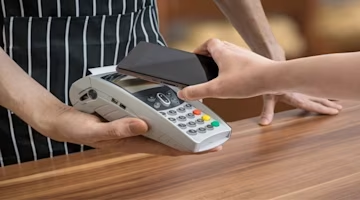
Samsung Pay mainly works using NFC, the same contactless technology used by debit and credit cards. When you hold your compatible Samsung phone or watch near a contactless payment terminal, Samsung Pay sends your payment details securely to complete the transaction.
Some older Samsung devices supported Magnetic Secure Transmission, or MST, which could mimic the magnetic stripe on a physical card. However, this is no longer the main way most people use Samsung Pay, and availability depends on your device, card provider, location and the payment terminal.
For most UK users, the simplest rule is that Samsung Pay should work where contactless payments are accepted, as long as your device and card are supported.
Where can you use Samsung Pay?
Samsung Pay is widely accepted in shops, restaurants and other places that display the contactless logo, as long as your Samsung device and payment card are supported.
It's available on selected Samsung Galaxy phones and watches. Compatibility can depend on your model, software version, region and card provider.
How do I set up Samsung Pay?
On your smartphone: Getting started with Samsung Pay on your smartphone is straightforward. Open the 'Apps' section, sign in with your Samsung account, and choose a secure method like a fingerprint or PIN for verification. From there, you can add your credit and debit cards - up to 10 of them - and you're ready to go.
On your smartwatch: For those who prefer to keep their phone tucked away, Samsung Pay on your smartwatch can also work as a convenient companion. Use the Galaxy Wearable app to import your cards, and after a quick verification, your wrist becomes your wallet.
How secure is Samsung Pay?
When it comes to mobile payments, security is paramount. Samsung Wallet takes this seriously, offering PIN, fingerprint or other biometric verification, where supported by your device.
Samsung Pay also uses tokenisation, creating a unique number for each transaction, which means your actual card number stays private.
And if your smartphone goes missing, Samsung gives you ways to help secure your wallet and reduce the risk of unauthorised payments.
Is Samsung Wallet different from Samsung Pay?
Samsung Pay is one of the functions of Samsung Wallet, but Samsung Wallet isn't just for payments. It can also store loyalty cards, train tickets and boarding passes for flights.
It can also act as your transport card for tap-and-go payments on services like Transport for London. Look for the contactless payment symbol, and you're good to go.
What are the pros and cons of Samsung Pay?
Samsung Pay offers a wealth of benefits:
Safe and secure: Multiple layers of security for peace of mind
Convenience: Your wallet is now digital
Loyalty cards: Store and use them all in one place
Beyond phones: Works with select Samsung smartwatches
However, it's not without some drawbacks:
Card and device limits: Not every bank, card or Samsung device is supported
Availability can vary: Some features may depend on your device, card provider, location or payment terminal
How much can I spend on Samsung Pay?
Samsung Pay itself does not set a fixed UK spending limit. However, your bank, card provider, retailer or payment terminal may still apply contactless payment limits.
Many UK banks have kept £100 contactless card limits for now, although providers have had more flexibility since March 2026.
Other useful guides
If you’re looking for more information about debit and credit card payments, check out our guides on:
Comparing credit cards with MoneySuperMarket
When it comes to shopping for credit cards, MoneySuperMarket allows you to compare credit cards from a variety of UK providers, many of which are compatible with Samsung Pay.
Before you apply for a new credit card, use our Eligibility Checker tool. It's a smart way to see which cards you might qualify for without impacting your credit score.
MoneySuperMarket is a credit broker – this means we’ll show you products offered by lenders. We never take a fee from customers for this broking service. Instead, we are usually paid a fee by the lenders – though the size of that payment doesn’t affect how we show products to customers.
Author
Tim Heming
Personal Finance Expert
Tim Heming is a journalist and editor who has written about personal finance for national newspapers and consumer websites for 15 years. Tim enjoys providing no-nonsense information to help consumers...

Reviewer
Victoria Russell
General Manager - Commercial
Vikki has worked across financial services for over 20 years, and for the last 15 years, created and nurtured a career within MoneySuperMarket Group, leading to her current role as General Manager...